Article Overview
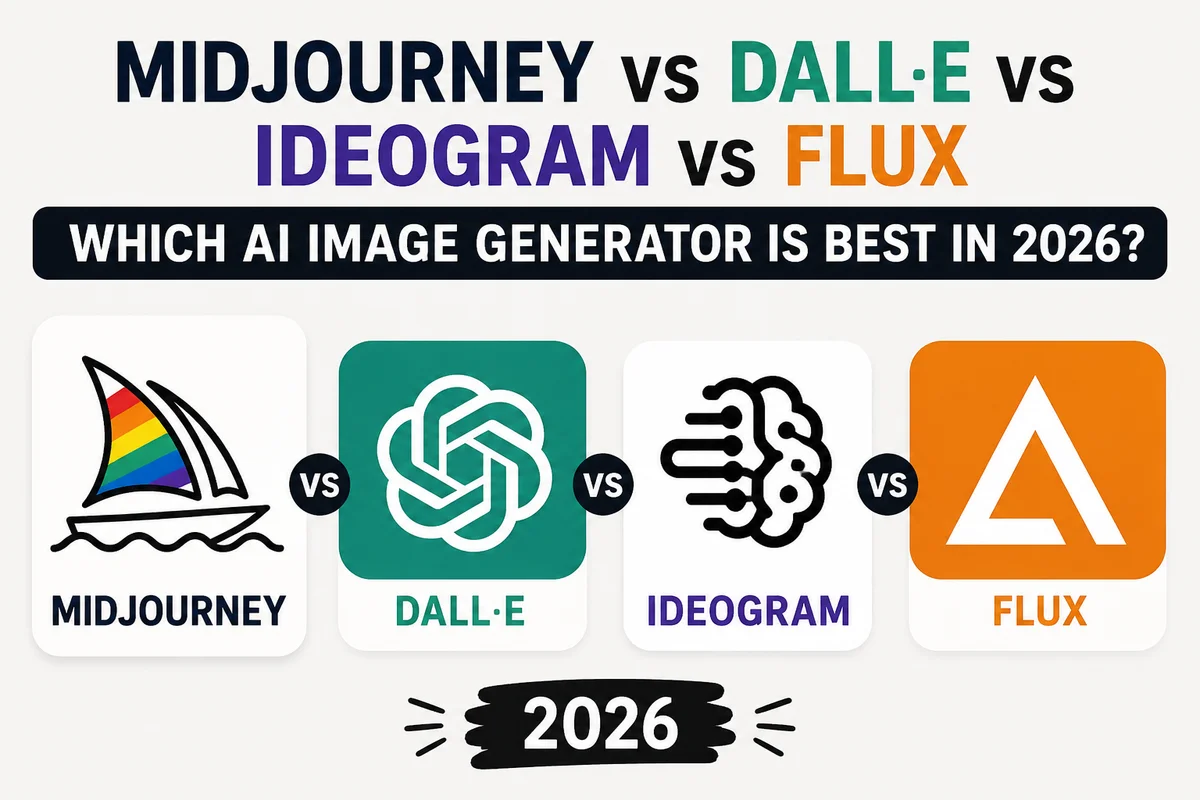
Four AI image generators dominate serious creative and professional work in 2026, and each one is genuinely the best option for a different type of person. Midjourney V7 produces the most aesthetically polished images of any AI model — the kind that look like they were made by someone with serious artistic judgment. DALL-E, specifically OpenAI's gpt-image-2, currently leads the independent Arena leaderboard in both text-to-image generation and image editing and delivers the most literal, instruction-accurate interpretation of complex prompts. Ideogram 3.0 is the only tool that reliably renders readable, correctly spelled text inside generated images, making it irreplaceable for posters, logos, and social media graphics. Flux, built by the former Stability AI researchers who created Stable Diffusion, is the most technically flexible option — fully open source in its fastest form, capable of running on your own hardware, and backed by the largest customization community of any image model.
This article covers all four in detail — what each one excels at, what it struggles with, how it is priced, what its current model version offers, and who should choose it. No sponsored rankings, no vague adjectives, just an honest comparison across every dimension that matters for real creative and professional use.
Introduction
Two years ago, choosing an AI image generator meant choosing between image quality and ease of use. Today it means choosing between four genuinely different tools, each optimized for a different definition of what a great AI image actually is.
Midjourney's definition is artistic coherence — images that feel considered, well-lit, and composed, the way a skilled photographer or illustrator would approach the frame. OpenAI's definition is accuracy — generating exactly what the prompt describes, down to specific details, text, and spatial relationships. Ideogram's definition is precision for design — images where the words are readable and the layouts hold together. Flux's definition is freedom — open architecture, local deployment, endless customization through fine-tuning, and no content restrictions when you run it yourself.
None of these definitions is wrong. The question is which one matches what you are trying to do.
The Quick Answer
Before the full comparison, here is the direct guidance:
Use Midjourney if visual quality and artistic feel matter most and you do not need a free tier or API access.
Use DALL-E / gpt-image-2 if you need precise prompt following, image editing, or developer API access, and you are already using ChatGPT or OpenAI's platform.
Use Ideogram if your image needs readable text — logos, posters, social media graphics — or if you want the best free tier available.
Use Flux if you want open-source access, local deployment for privacy, or a customizable foundation for a developer application.
Midjourney V7 — The Aesthetic Standard
What It Is
Midjourney was founded in 2022 by David Holz and has produced the dominant aesthetic in AI-generated imagery. The images it creates tend to look intentional in a way that is genuinely difficult to describe precisely — the lighting feels considered, the composition feels purposeful, the texture feels right. The current version is Midjourney V7, the most capable release in the product's history.
What V7 Changed
V7's most significant addition is a personalization system that actually works. Feed Midjourney images you respond to — aesthetically, emotionally, stylistically — and the model adapts its outputs toward your sensibility over time. The more images you rate through the platform's ranking system, the more precise that adaptation becomes. This is not a style transfer feature. It is a model that gradually learns what you find compelling and shifts toward it.
Omni Reference allows you to use any element of any image as a reference point — not just faces. You can reference the color treatment of one image, the composition of another, and the subject of a third simultaneously. The model synthesizes across all of them.
Character Reference (--cref) and Style Reference (--sref) provide more targeted consistency tools. Character Reference maintains a specific character's appearance across multiple generations — useful for narrative illustration, character sheets, and any multi-image project that needs to feel like it depicts the same person. Style Reference applies the visual language of a reference image to a new prompt — useful for maintaining brand consistency or exploring variations on an established aesthetic.
Draft Mode generates images at roughly ten times normal speed at reduced quality — useful for exploring whether a prompt direction is worth developing before committing GPU credits to full-quality generation.
Strengths and Weaknesses
Midjourney's strength is a quality of output that no other AI image generator consistently matches for purely aesthetic work. Concept art, fashion, editorial photography simulation, book covers, advertising creative — these are the use cases where Midjourney's outputs most reliably meet professional standards.
Its weaknesses are structural. There is no free tier. There is no public API, which means Midjourney cannot be integrated into applications or workflows programmatically. Text rendering inside images is better than it used to be in V7 but still not the strength of Ideogram or gpt-image-2. And the training data controversies that have followed every AI image generator have followed Midjourney too.
Pricing
Plan | Monthly Price | GPU Hours / Minutes |
|---|---|---|
Basic | $10 | ~200 minutes |
Standard | $30 | 15 hours + unlimited Relax |
Pro | $60 | 30 hours + Stealth Mode |
Mega | $120 | 60 hours + Stealth Mode |
Stealth Mode — available on Pro and Mega — keeps your generated images private rather than appearing in Midjourney's community feed.
Who Should Use Midjourney
Professional creatives working in visual fields: concept artists, illustrators, art directors, photographers, brand designers, and anyone who needs images that look like they were made with genuine aesthetic judgment rather than assembled from components. Not suitable for developers needing an API or users needing a free tier.
DALL-E and gpt-image-2 — The Instruction Follower
Understanding the Two Versions
OpenAI's image generation capability in 2026 exists as two related but distinct offerings, and understanding the difference matters for choosing correctly.
DALL-E 3 is the consumer version integrated into ChatGPT. It is what you get when you type a prompt in ChatGPT and ask for an image. It is capable, conversational — you can refine images through follow-up messages — and deeply integrated with the rest of ChatGPT's capabilities. For most casual users, DALL-E 3 in ChatGPT is the OpenAI image experience.
gpt-image-2 is OpenAI's latest API image model, distinct from DALL-E 3 and more capable. It currently leads the independent Arena leaderboard in both text-to-image generation (Elo score 1380) and image editing (Elo score 1463), making it the highest-ranked AI image model in the world by that measure. API access gives developers the full capability of this model in their own applications.
What Makes OpenAI's Image Models Different
The defining characteristic is instruction adherence. When you give OpenAI's image models a complex, specific prompt — with particular spatial relationships, specific objects in specific positions, multiple elements that need to coexist coherently — they follow it more literally than any other model in this comparison.
This sounds like a low bar, but it is genuinely difficult and genuinely valuable. Most AI image models interpret prompts with creative latitude that produces aesthetically pleasing results that are not quite what you described. gpt-image-2 tends to produce what you actually described, which is what you need when the prompt is a brief, a specification, or a design requirement rather than an open creative invitation.
Text rendering in images is strong — competitive with Ideogram for legibility and accuracy of text placement, though Ideogram remains the specialist leader. Image editing through gpt-image-2 is the best in the field by the Arena leaderboard measure.
The ChatGPT integration is a genuine workflow advantage for users already in that ecosystem. Iterating on an image through conversation — "make the background more overcast," "add a person on the left side," "adjust the color temperature to be warmer" — is more natural than adjusting prompts in isolation.
Strengths and Weaknesses
DALL-E's most cited weakness is aesthetic distinctiveness. Where Midjourney images feel crafted and intentional, DALL-E images can feel more photographically literal — technically accurate but sometimes lacking the artistic voice that makes an image feel chosen rather than generated. This is a real distinction for professional creative work and less relevant for functional or commercial image needs.
The content filtering is also more conservative than some competitors, which can be frustrating for creative work that approaches mature themes even from legitimate artistic directions.
Pricing
Access | Cost |
|---|---|
Via ChatGPT Plus | $20/month (images included) |
Via ChatGPT Pro | $200/month (images included) |
API gpt-image-2 standard | ~$0.040 per image |
API gpt-image-2 HD | ~$0.080 per image |
Free ChatGPT | Limited image generation |
Who Should Use DALL-E/gpt-image-2
Developers building applications that need image generation via API. ChatGPT users who want image generation integrated with text workflows. Users who need precise prompt adherence for functional or commercial image needs. Anyone doing significant image editing work where gpt-image-2's leaderboard lead in editing is relevant.
Ideogram 3.0 — The Designer's Choice for Text in Images
What It Is
Ideogram AI was founded in 2023 by former Google Brain researchers and built around solving the problem that had made AI image generation unreliable for design work: text. Every other AI image generator, to varying degrees, struggles to render readable, correctly spelled text as part of a generated image. Letters blur. Words are misspelled. Typography looks smeared. Ideogram was specifically built to change that.
The Text Rendering Difference
The difference between Ideogram and every other model on text-in-image tasks is significant enough to be the single determining factor for a wide category of use cases. Logos that contain a company name. Posters where the headline needs to be readable. Social media graphics where the text is part of the visual design. Banners, covers, marketing materials, book titles — any image where the words are part of the composition rather than separate elements.
Ideogram 3.0 renders these reliably. The letters are legible. The spelling is correct. The typography fits the visual context in a way that looks designed rather than pasted.
This is not a minor convenience — it is what determines whether the output is actually usable. A visually compelling poster with a misspelled headline is not a usable asset. Ideogram's outputs in this category are.
Ideogram 3.0 Features
The current version includes a set of editing and workflow tools that make it more useful beyond pure generation. Magic Fill handles inpainting — replacing or adding elements to specific areas of an existing image. Describe works in reverse: upload an image and Ideogram generates the prompt that would produce it, useful for understanding a style or recreating a visual direction. Remix lets you modify style or specific elements while preserving the underlying composition. Canvas extends images outward in any direction.
Style presets — Auto, General, Realistic, Design, Anime, 3D Render — give a quick starting point without requiring detailed style descriptions in the prompt.
The Free Tier
Ideogram's free tier deserves specific attention because it is genuinely useful in a way that most free AI tiers are not. Ten slow generations per day, no credit card required. For someone who occasionally needs a designed image with text, or who wants to test whether Ideogram suits their workflow before paying, ten generations per day is enough to do real work.
The paid tiers are also among the most affordable in this comparison — $7 per month for the Basic plan is significantly cheaper than Midjourney's entry point.
Strengths and Weaknesses
The weakness of Ideogram relative to Midjourney is visible in photorealistic and purely artistic work. For an image that needs to feel cinematic, or a portrait that needs photographic depth, or concept art that requires a particular atmosphere, Midjourney produces more compelling results. Ideogram's realistic mode has improved significantly in version 3.0, but the gap remains.
For design-forward work where text is a core element of the image, the comparison reverses.
Pricing
Plan | Monthly Price | Generations |
|---|---|---|
Free | $0 | 10 slow/day |
Basic | $7 | 400 priority/month |
Plus | $16 | 1,000 priority/month |
Pro | $48 | 3,000 priority/month |
Who Should Use Ideogram
Anyone who needs images with readable text: graphic designers, marketing teams, content creators making social media graphics, people building posters or promotional materials. Budget-conscious users who want a free tier that actually works. Beginners who want an accessible starting point without paying.
Flux — The Developer's Open-Source Powerhouse
What It Is
Flux comes from Black Forest Labs, founded in 2024 by Robin Rombach — the lead researcher behind Stable Diffusion — along with Andreas Blattmann and other former Stability AI scientists. If Stable Diffusion was the open-source revolution in AI image generation, Flux is its successor: technically superior architecture, dramatically better output quality, and the same commitment to openness that made Stable Diffusion the foundation of an entire ecosystem.
The Model Family
Flux is not a single model — it is a family, and understanding which model you are using matters:
FLUX.1 [schnell] is fully open source under the Apache 2.0 license, meaning you can use it for any purpose including commercial work, modify it, and distribute it freely. It is the fastest model in the family.
FLUX.1 [dev] has open weights for research and development but is non-commercial — you can use it for personal and research work but not in commercial products without a license.
FLUX1.1 [pro] and FLUX1.1 [pro Ultra] are the highest quality models in the family, available through the API.
FLUX.1 Fill [pro], FLUX.1 Canny [pro], and FLUX.1 Depth [pro] provide specialized capabilities: inpainting and outpainting, edge-guided generation for precise structural control, and depth-guided generation for three-dimensional spatial control.
The Technical Architecture
Flux uses Rectified Flow Transformers rather than the diffusion UNet architecture that Stable Diffusion used — a more recent design that enables better instruction following, more accurate anatomy, and cleaner text rendering. The pro model runs at 12 billion parameters, significantly larger than earlier open image models.
The practical result of the architecture improvements is visible in two areas where previous open-source models struggled: hands and fingers, which Flux renders more accurately than any other model in this comparison, and text in images, where Flux performs well though not at Ideogram's specialist level.
The Ecosystem
This is where Flux separates itself from every other model in this comparison. Because the base models are open source, an enormous community of developers and artists has built custom fine-tuned versions (LoRAs) for specific styles, subjects, and aesthetics. There are Flux fine-tunes for anime, for specific photographic styles, for architecture visualization, for product photography, for character styles, and for thousands of other specific use cases.
ComfyUI and similar tools provide sophisticated local deployment options, allowing users to run Flux on their own hardware, chain it with other tools, and build complex multi-step image workflows without paying per generation or sending data to any server. This matters for privacy-sensitive work, for workflows requiring volume that would be expensive on per-image API pricing, and for users who want to own their creative tools rather than renting them.
Pricing
Model | Price |
|---|---|
FLUX.1 [schnell] | Free (open source) |
FLUX.1 [dev] | Free (non-commercial) |
FLUX1.1 [pro] via API | ~$0.040 per image |
FLUX1.1 [pro Ultra] via API | ~$0.060 per image |
Via third-party APIs (Fal.ai, Replicate) | Varies, often lower |
Strengths and Weaknesses
The consumer experience weakness is real — there is no polished Flux app the way there is a polished Midjourney web interface or ChatGPT integration. Using Flux at its full capability requires either API integration skills or comfort with tools like ComfyUI. The open-source community has produced consumer-friendly interfaces, but they are third-party tools, not official products.
The strength that compensates is total flexibility. No content restrictions when running locally. No per-image cost on the open-source model. No dependency on a company's servers. No restriction on fine-tuning or customization. For developers and technically sophisticated artists, this is the difference between renting a tool and owning one.
Who Should Use Flux
Developers building AI image generation into applications or products. Users who want to run AI locally for privacy or cost reasons. Artists who want to fine-tune a model to their specific aesthetic rather than prompting a generic one. Anyone building high-volume image generation where per-image API costs add up. The Stable Diffusion community that has already adopted Flux extensively.
Head-to-Head Comparison
Dimension | Midjourney V7 | DALL-E/gpt-image-2 | Ideogram 3.0 | Flux |
|---|---|---|---|---|
Best for | Artistic quality | Instruction accuracy | Text in images | Developer/open source |
Free tier | None | Limited (ChatGPT) | 10/day (genuine) | Open source (free) |
Starting price | $10/month | ~$0.04/image | Free / $7/month | Free (open source) |
API access | None | Full (gpt-image-2) | Limited | Extensive |
Local deployment | No | No | No | Yes |
Open source | No | No | No | Yes (schnell) |
Text in images | Improved, V7 | Excellent | Best in class | Very good |
Photorealism | Best | Very good | Good | Very good |
Artistic feel | Best | Good | Moderate | Flexible |
Human anatomy | Very good | Good | Good | Best |
Style consistency | Best (cref/sref) | Good | Moderate | Via fine-tuning |
Image editing | Good | Best (leaderboard #1) | Good | Very good |
Arena rank (text-to-img) | Not publicly listed | #1 (1380 Elo) | Not in top 8 | Not in top 8 |
Arena rank (editing) | Not publicly listed | #1 (1463 Elo) | Not in top 8 | Not in top 8 |
Community size | Large | Very large | Growing | Massive |
The Text-in-Images Question: Who Wins?
One of the most searched questions about AI image generators is which one handles text inside images correctly, because this is historically where all of them have failed. The current ranking:
Ideogram 3.0 is the specialist and the leader for this specific capability — built from day one around solving this problem, and still the most reliable choice when readable text is the primary requirement of the image.
gpt-image-2 is a very close second and, depending on the specific use case, competitive with Ideogram. For complex layouts that also require sophisticated compositional accuracy, gpt-image-2's stronger overall instruction following may make it the better choice.
Flux performs well on text, significantly better than previous open-source models, and is a reasonable choice for text-in-image tasks when you also need local deployment or fine-tuning capability.
Midjourney V7 has improved but remains the weakest of the four for text-heavy design work.
Pricing Compared at Different Usage Levels
For a creator generating roughly 100 images per month:
Tool | Estimated Monthly Cost |
|---|---|
Midjourney Basic | $10 (200 minutes — feasible) |
DALL-E via ChatGPT Plus | $20 (included in subscription) |
DALL-E via API | ~$4–8 (100 images × $0.04–0.08) |
Ideogram Basic | $7 (400 generations — more than enough) |
Flux [schnell] local | ~$0 (your hardware costs) |
Flux1.1 [pro] via API | ~$4 (100 images × $0.04) |
For a developer generating 10,000 images per month for an application:
Tool | Estimated Monthly Cost |
|---|---|
Midjourney | Not possible (no API) |
DALL-E API | $400–800 |
Ideogram API | Varies by plan |
Flux via API | ~$400 (standard pricing) |
Flux [schnell] local | Hardware cost only |
The local deployment option that Flux provides becomes economically significant at scale.
The Decision Framework
Ask yourself four questions before choosing:
Does your image need readable text? If yes — go to Ideogram first. Nothing else is as reliable for this use case. DALL-E is a close second.
Do you need API access for an application? Midjourney is immediately eliminated. DALL-E, Ideogram, and Flux all have API access.
Is artistic quality the most important factor? Midjourney is the answer if you have budget for a subscription and do not need API access. Nothing else produces images that look as deliberately crafted.
Do you want open-source or local deployment? Flux is the only option in this comparison that supports either.
Final Takeaway
Midjourney, DALL-E, Ideogram, and Flux are four genuinely different answers to the question of what an AI image generator should be. They are not competing to win a single race — they are competing to be the best at different jobs.
Midjourney has the best aesthetic sense of any model available. gpt-image-2 follows instructions more accurately than anything else and leads the objective benchmarks. Ideogram renders text in images more reliably than any competitor. Flux gives developers and technically sophisticated creators the most flexible, customizable, and open foundation in the field.
In 2026, the right answer to "which AI image generator is best" is not one of these four. It is whichever of the four matches what you are actually trying to make.
Note: Pricing and feature details may change as these products update rapidly. Verify current offerings directly at midjourney.com, openai.com, ideogram.ai, and blackforestlabs.ai before making purchasing decisions. Arena leaderboard scores sourced from August 7, 2026 rankings.